Customers keep their ordering habits while the material enters one shared workbench.
Work once shared by more than ten people
now runs with one employee and AI.
A REAL STARDEV PROJECT · HONG KONG SALES-SUPPORT PILOT
A sales-led listed FMCG group operates sales-support teams across several regions. Its Hong Kong lead invited Stardev to turn images, voice notes and purchase orders into an AI-led order workflow with staff confirmation.
Project background: This is a real Stardev delivery for the Hong Kong region of a listed FMCG group. The case is anonymised; the company name and sensitive operating data are not shown publicly.
Team setup: 10+ people → 1 person + AIWeekly entry: 8 hours → 0.5 hourAI-led, staff-confirmed

Workflow demonstration
Business inputBusiness inputPurchase order

Human review
HandoffStructured order
One input. The next piece of work.
Illustrative workflow. No real order is processed or submitted.Check customer, product, price and history, then route questions to the order desk.
After the key details are confirmed, the system produces a standard Excel file and can feed the current ordering flow to avoid re-keying.
The text can be read correctly and the product can still be wrong.
Customers use their own names, packs, and units. The workflow has to check how this customer ordered before. If the answer is not clear enough, it stops and asks the order desk.
The same product can use a different internal code for each customer.
Companies often use a specific internal product code (SKU) for each pack, unit, or customer agreement. Before an order is placed, the system must find the one this customer normally uses—or ask the order desk when it cannot be sure.
That was the hardest part of the project—and the part that needed real company context.
Every order looks different
Images, voice notes, and purchase orders vary in wording, order, units, and completeness.
The product name is not enough
Customer aliases, internal codes, prior orders, and price records matter too.
If it is unclear, ask a person
The workflow must not quietly guess. It sends the question to the order desk.
From the customer’s message to order-desk review and the final export, the work moves like this.
01Customer sends an order
Image, voice note, or purchase order
02Create an order draft
Put the order details into one format
03Find a product-code conflict
Compare this customer’s order history
04Order desk decides
Choose the result and record why
05Export SAP Excel
Pass it to the existing bulk-import process
How the order is prepared
AI completes the routine work and leaves uncertain calls to people.
The order follows a fixed sequence: organise the request, check company records and prior orders, ask for review where needed, then produce the final file.
Every order follows the same sequenceFrom incoming order to output file
People approve key stepsImage, voice note, or purchase order
Put customer, product, quantity, unit, and price into one format
Resolve customer aliases, product codes, and prior orders
List conflicts and questions separately
Output Excel and email
Retain the source order, edits, and final result
The order desk only sees the decisions that need a person.
This review screen shows the original request, the system’s suggestion, and every change.
To review · 3In progress · 8Questions · 2CompleteChange log
Orders that need reviewReview screen
PO
Customer name does not matchShow the original wording beside candidate customers
ReviewCode
Two historical product codes were foundShow the codes previously used by this customer
Choose$
Price differs from the latest recordThe workflow does not accept the difference by itself
CheckWhat AI can prepare—and what people still decide.
Read the order, check records, find likely matches, and list questions.
The order desk remains responsible for the customer, product code, price, unit, and special cases.
The system cannot promise a price or place an order in the company system by itself.
Who changed what, why it changed, and what was produced can all be checked.
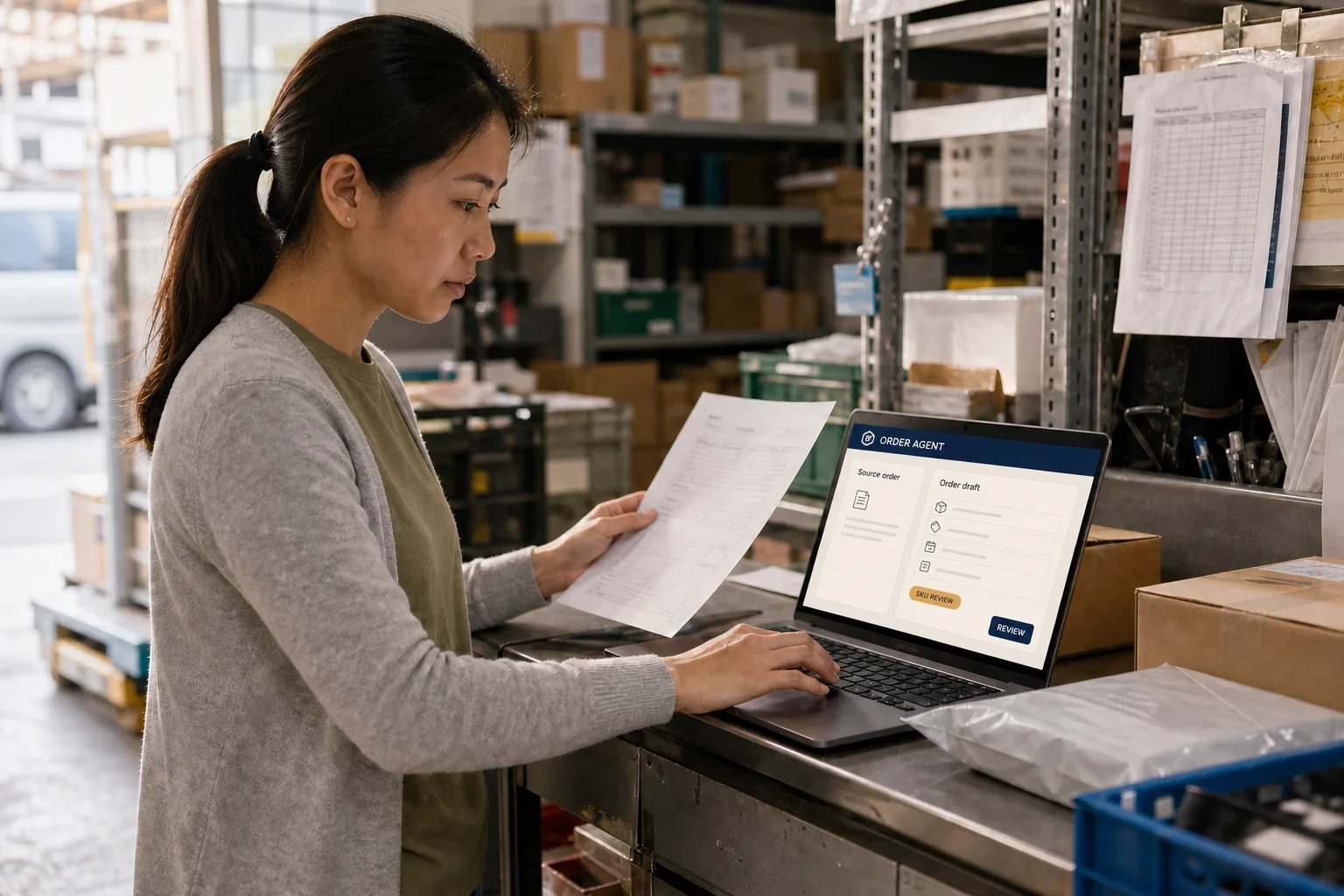
Let AI catch the order details. Keep commercial judgement with the team.
From images and voice notes to an SAP-ready file, connect what customers say, what the system needs and what staff must confirm into one smooth flow.
Core way of working: AI prepares an order draft from scattered information. The order desk confirms the customer, product code, price and special cases, then the system produces a bulk-import Excel file for SAP.
What the order team gets
Customers keep their ordering habits while staff confirm only the important decisions.
Accept image and voice orders
Resolve customers, products, and prices
Find the right product code from customer history
AI preparation with order-desk confirmation
Produce standard Excel and email output
Produce a bulk-import Excel file for SAP
How it works with existing systems
Choose the right connection for the company’s current order channels, permissions, and systems.
CustomisableConnect WhatsApp or enterprise chatBring customer messages into the order workbench while keeping the original conversation available for review.
CustomisableCombine multiple ordering platformsBring company-approved order channels into one place so staff no longer switch between them.
CustomisableSend orders to SAP or another company systemStart with an import-ready Excel file. Where the company setup allows, confirmed orders can also be sent directly to the existing system.
Project note: This is a real Stardev enterprise delivery. The case is anonymised; the company name and sensitive operating data are not shown publicly.
Correct it once, and the next order starts from a better answer.
Customer aliases, product codes, unit conversions, and company rules are saved only after review. Every change is recorded and can be reversed.
It becomes more familiar with how this company works,but it does not rewrite the rules by itself.
The system improves through customer names, product codes, and handling decisions that a responsible employee has confirmed—not through AI quietly changing rules in the background.
Human approvalVersion historyReviewableReversibleSource recorded
How one correction helps the next orderEffective after approval
This time, the order desk changes
The system selectedCustomer A + product code 1028
→The order desk changes it toCustomer A + product code 1028-HK
01Find the issue
Flag the field that is not clear
02Correct the answer
Choose the right result and record why
03Approve the change
Only then update the mapping or rule
04Use it next time
Start similar orders from the new record
!
Rules do not change automatically
Only approved changes take effect. Every change can be inspected and reversed.
Does your team keep retyping orders? Bring one real order.
You do not need to replace every system or start with a large project. We first look at where orders arrive, who checks them, and which file or system they must enter—then decide what AI should handle.